 Katofli
Public beta
A taskbar for Windows 11 that you arrange yourself
Katofli replaces the Windows 11 taskbar with bars you arrange yourself: a task strip, a launcher, status icons, a clock and many more modules. It comes in seven themes, installs for your user account only, and gives the system taskbar back when it exits.
- Seven themes, each with several variants and a High Contrast one.
- Up to four extra bars, on any edge of any display.
- 14 languages that switch without a restart.
- For your account only: no administrator rights.
The seven themes







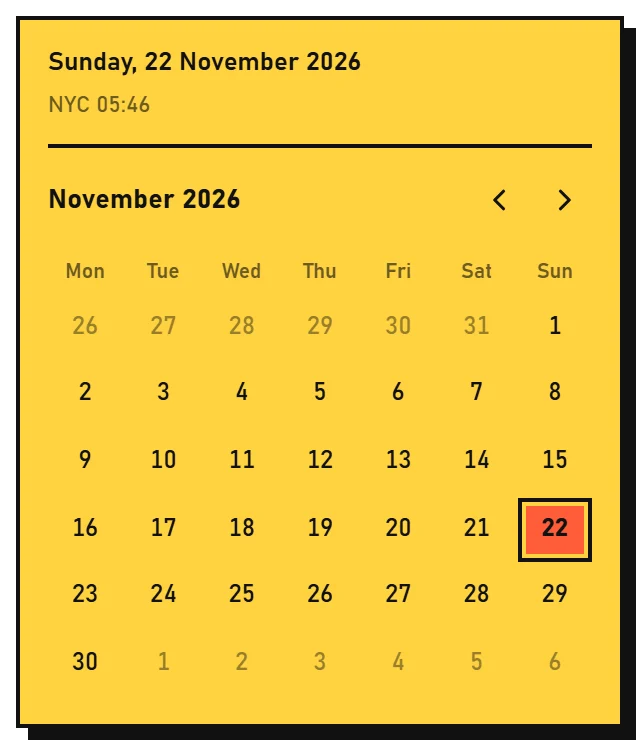
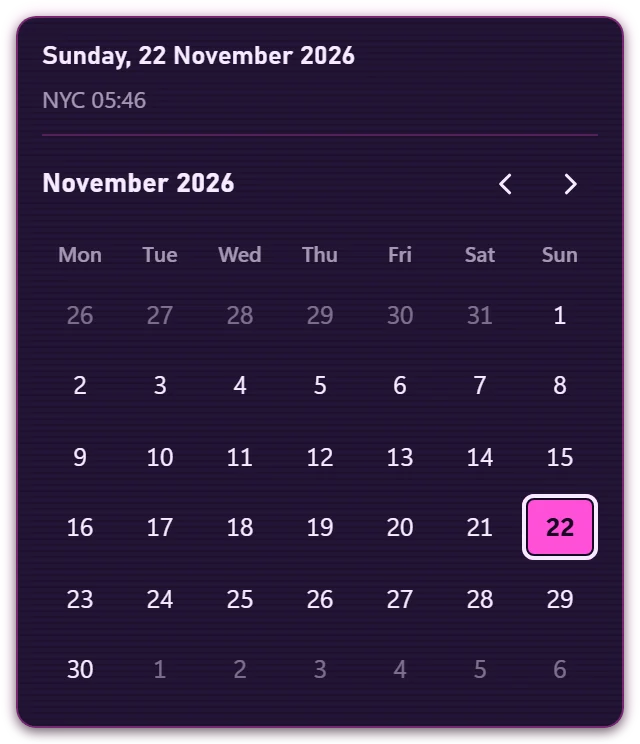
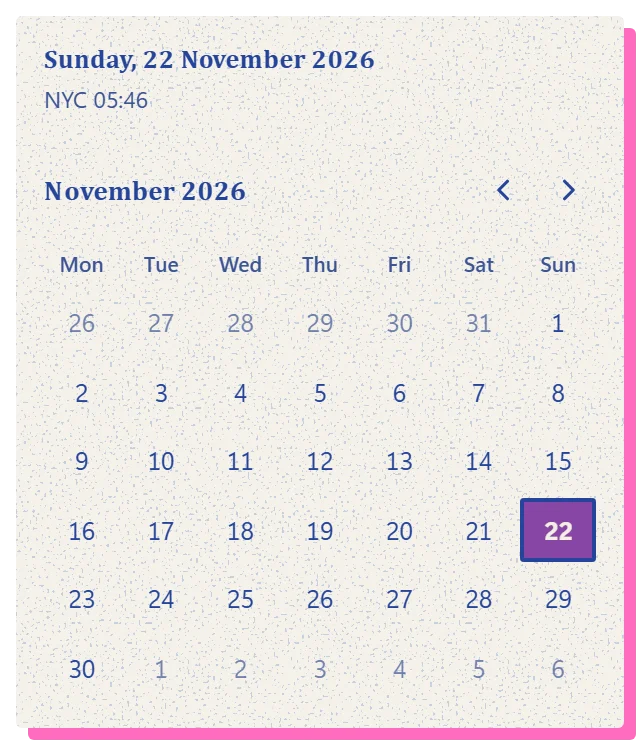
Each theme shown as the whole bar along the bottom, with its two ends at full size above it. Rendered from Katofli's interface with sample data.
What it is
Katofli takes the place of the system taskbar. You decide which modules sit on the bar, on which edge, at what height, and in which theme. Each theme changes shapes, type and motion as well as colours, across the bar, its pop-ups and Settings. When you quit, or if it stops, the system taskbar comes back.
What it does
Feature 1 of 10
Themes that restyle the whole bar
Seven themes change shapes, type and motion as well as colours, across the bar, pop-ups, flyouts and Settings, each with several variants and a High Contrast one.
Feature 4 of 10
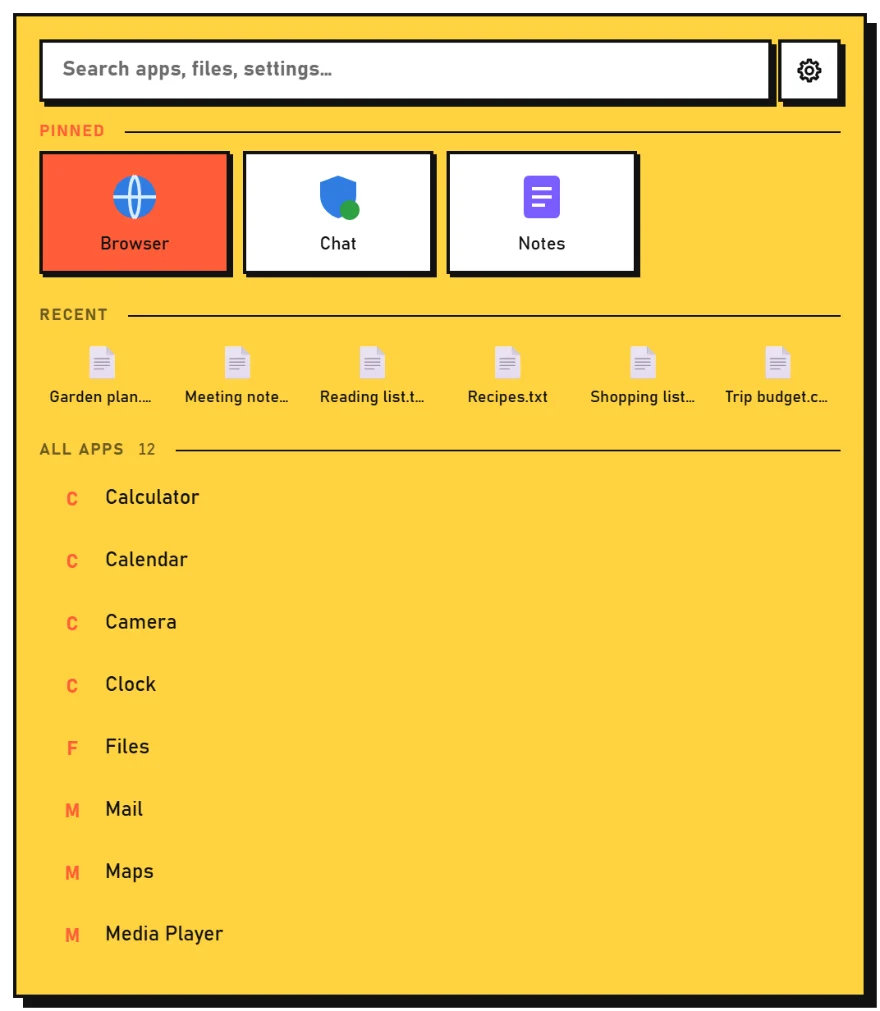
A launcher in three layouts
A menu, a full-screen grid or a search box that finds apps, files and settings even when you mistype, with sums, a run box and your own web searches.
Feature 5 of 10
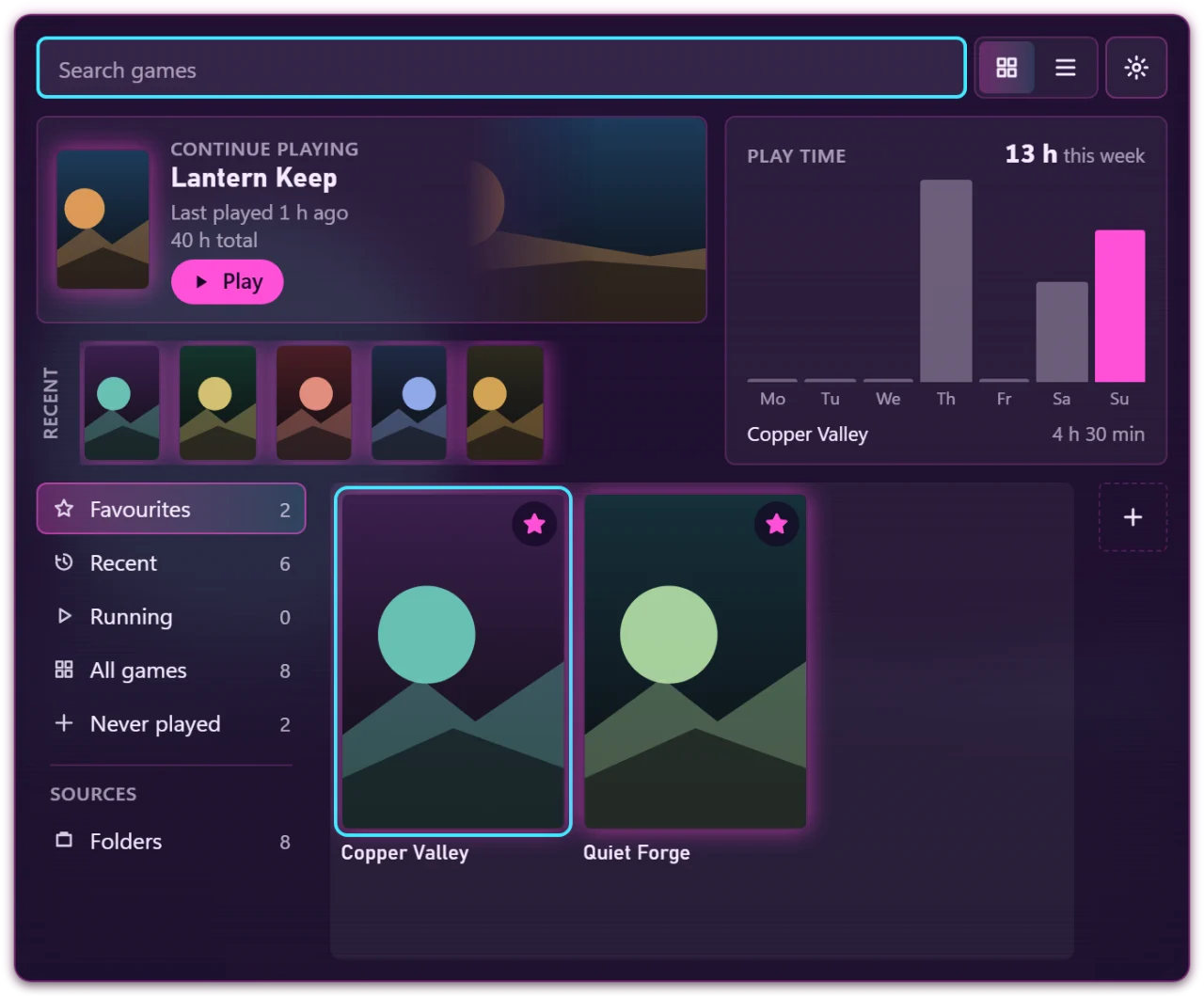
A game bar
One library from the game stores on your PC and your own folders, play time counted on this PC, companion tools that start with a game, and four layouts.
2Several bars, and a layout per display
Up to four extra bars on any edge of any display, each with its own modules, height, visibility and colours; each display can change or hide the main bar.
3Layouts you switch in one step
Four presets and up to 12 saved layouts, with a way back to the one you left.
6Desktop widgets (experimental)
The weather, meters, what is playing and the game bar home as cards on the wallpaper, in your theme.
7Per-app rules
Hide, rename, re-icon or regroup an app on the task strip, and open it on a chosen display or desktop.
8Keyboard control
Global shortcuts, a keyboard mode for the whole bar, the system key on your tiles, and an opt-in themed Alt+Tab.
9Recovery that always gives the system taskbar back
Exit, a crash or a hard kill: a watchdog, the next start or an emergency key puts it back, and a crash at start offers a safe start.
10Portable mode and 14 languages
Run from a folder or a USB stick with settings beside it, in any of 14 languages that switch without a restart.
See the full checklist, including what Katofli does not do.
Download
Download the latest version from the releases page.
The setup installs Katofli for your user account only and needs no administrator rights. Katofli is in beta and not code-signed yet, so the system may show “Windows protected your PC” the first time you run it. Choose More info, then Run anyway.
Requirements
- Windows 11, 64-bit (x64). Windows 10 is not tested; some features, such as switching virtual desktops, do not work there.
- The Microsoft Edge WebView2 Runtime. Most PCs have it. The setup adds it when it is missing, which needs an internet connection.
- No administrator rights. Katofli installs for your user account only.
You can always get your taskbar back
Ctrl+Alt+Win+K
Katofli quits and the system taskbar comes back, even if the bar looks frozen.
Right-click the bar
Choose Exit Katofli (restore the system taskbar).
If it crashes
A small helper process puts the taskbar back by itself, and the next start repairs anything left behind.
Privacy
Nothing is sent to the developer. Katofli has no telemetry, no crash reports and no account. It talks to a few public services to do its job, such as a weather service when you add a location.
The guide
- Install, update and uninstallRequirements, the setup, the portable copy.
- Getting startedThe first start, a tour of the bar, how to quit.
- The bar and the task stripEdge, height, pins, grouping, per-app rules.
- ThemesThe seven themes, variants, accent and high contrast.
- Settings helpOne page for each page of the Settings window.
- TroubleshootingThe taskbar, safe start, logs, reporting a bug.